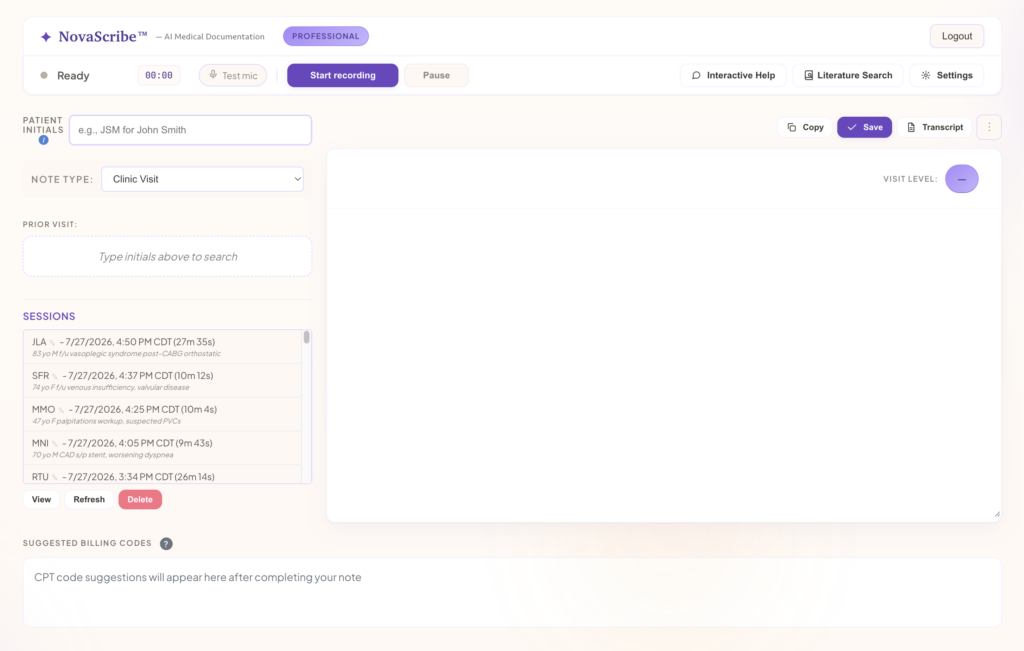
Suki started as a voice assistant, where clinicians spoke commands to pull up chart data and dictate (Business Wire, 2022). Today it also generates ambient notes, stages orders from the conversation, and answers spoken questions about the chart. NovaScribe takes a simpler route. You talk with your patient normally, with no commands to learn, and NovaScribe writes the note for you to paste into any EHR.
Both are capable tools. They’re built for different buyers, and this post shows which one fits yours.
Comparison at a glance
NovaScribe
Suki
Pricing
Published: Free, Basic $99/mo, Professional $229/mo
Not published; through the sales team
How you get access
Sign up online; free tier with no credit card
Request a demo and pricing from sales
EHR fit
Copy and paste into any EHR
Native integration with Epic, Oracle Health, athenahealth and MEDITECH; Suki Compose copies and pastes into any EHR
Ambient notes. Suki transcribes the visit and generates “a structured, specialty-specific note that’s sent to the EHR” (Suki for Clinicians).
Voice editing and dictation. You can edit notes by voice and dictate pre-charting content. Suki Dictation supports “scripts and custom voice commands” (Suki Dictation).
Order staging. Suki “can proactively stage orders directly from your patient conversation for you to review and approve.”
Ask. Launched October 8, 2026, Ask lets clinicians use “spoken natural language or typed questions” to find medications, allergies, vitals and lab results in the EHR (Suki press release).
NovaScribe keeps the workflow to three steps. You record the visit as a normal conversation in the web app or the iOS or Android app, with no commands or structured dictation. You review the finished note, then paste it into your EHR. You can also give NovaScribe plain-language instructions on how you like your notes written.
EHR fit
Suki’s deepest integrations are with four EHRs: “Suki integrates with Epic, Oracle Health, athenahealth, and MEDITECH” (Suki EHR integrations). On those systems, Suki says its notes “sync directly into the EHR” (Suki).
If your practice runs eClinicalWorks, AdvancedMD or another EHR, Suki offers Suki Compose, which it says “works with all EHRs.” Its workflow ends with copy and paste (Suki Compose). Suki also makes its coding available “on any browser or platform, allowing copy-and-paste of generated codes” for clinicians on non-integrated EHRs (Suki press release).
Suki also reaches some other EHRs through vendor partnerships. Sevocity, for example, launched Ambient Listening powered by Suki in June 2026, which writes notes directly into the chart (Suki press release). Where no integration exists, both products work the same way: copy and paste. NovaScribe is built around that workflow from the start, with no integration project.
Coding head-to-head
Both products code, and both pitch revenue capture.
On October 20, 2025, Suki announced “automated generation of ICD-10, HCC, CPT, and E/M codes.” It selects specific ICD-10 codes to capture HCCs for risk adjustment, links CPT codes to diagnoses, and recommends E/M codes “with supporting rationale” (Suki press release).
NovaScribe Professional includes:
CPT code suggestions with wRVU and dollar estimates, including counseling and time-based services.
ICD-10 codes, validated against CMS code sets.
E/M level analysis.
MDM upgrade suggestions that flag when your documentation supports a higher E/M level.
The differences that matter to a productivity-paid physician: NovaScribe puts a wRVU estimate next to each CPT code, flags MDM upgrades, and publishes the price of all of it, $229 a month or $2,299 a year. HCC capture for risk adjustment is a Suki strength that matters most to value-based organizations.
Pricing and access
Suki doesn’t publish prices on its website. Its product pages send buyers to “Talk to our team,” and its contact page says, “Complete the form, and someone from our Sales team will get back to you shortly.” We didn’t find a self-serve sign-up or free trial on Suki’s site.
NovaScribe publishes its individual plan prices on its website (Enterprise plans for teams and residency programs are custom-priced):
Plan
Price
What you get
Free
$0
10 notes a month with all Professional features; no credit card
Basic
$99/mo or $999/yr
Unlimited notes; no billing tools
Professional
$229/mo or $2,299/yr
Unlimited notes plus CPT with wRVU, ICD-10, E/M and MDM analysis
Where Suki fits best
Suki is a strong choice for:
Health systems and large groups on Epic, Oracle Health, athenahealth or MEDITECH that want notes synced directly into the chart.
Organizations that want orders staged from the visit and chart questions answered by voice.
Practices with value-based contracts, where HCC capture drives revenue.
Clinicians who see patients in many languages. Suki supports 80.
NovaScribe was built by a practicing cardiologist, Patrick Proctor, MD, FACC, who uses it in his own clinic every day.
“I’ve been extremely impressed with the Novascribe program. As a nurse practitioner operating in a busy outpatient cardiology clinic, Novascribe has significantly improved my charting efficiency and streamlined my workflow. My documentation is faster, more organized, and I’m consistently able to complete charts immediately after each patient encounter. This has reduced the need for after-hours charting and allows me to stay more focused and present during patient visits rather than dividing my attention between the patient and the computer. […]” Anne Ward, CRNP
FAQ
How much does Suki cost? Suki doesn’t publish pricing on its website. You request pricing through its sales team.
Does Suki work with my EHR? Suki integrates natively with Epic, Oracle Health, athenahealth and MEDITECH. Some other EHR vendors, such as Sevocity, embed Suki directly. Elsewhere, Suki Compose works by copy and paste.
Does Suki suggest billing codes? Yes. Suki generates ICD-10, HCC, CPT and E/M codes you can review before submission, with supporting rationale for E/M codes.
Do I need to learn voice commands to use NovaScribe? No. You talk with your patient normally, and NovaScribe writes the note.
Can I try NovaScribe before I buy? Yes. The free tier gives you 10 notes a month with every Professional feature, and no credit card is needed.
Try NovaScribe free
See how NovaScribe handles your specialty on your next 10 visits. It’s free, with no sales call and no credit card.
If you searched for “DAX AI scribe,” the product you’re looking for has a new name. On March 3, 2025, Microsoft announced Dragon Copilot, which combines Dragon Medical One (its dictation product) and DAX Copilot (its ambient AI scribe) into one assistant. Microsoft said it would be generally available in the U.S. and Canada starting in May 2025.
Dragon Copilot is built for healthcare organizations of every size, and it’s a capable product. For a solo physician or a small group, the useful question is narrower: does it fit how your practice buys software, handles IT and gets paid? Below, we set what Microsoft and its resellers publish next to what NovaScribe offers, so you can decide for yourself.
Quick comparison
NovaScribe
Microsoft Dragon Copilot
Published price
Free; Basic $99/mo; Professional $229/mo
No public list price. One reseller lists about $150/user/mo (Per User, annual billing) or $60/user/mo plus usage (Flex)
How you buy
Sign up online yourself
Through Microsoft or a Cloud Solution Provider (CSP) partner
Commitment
Monthly or annual billing
1-year or 3-year terms (reseller listing)
Free option
Free tier: 10 notes/month, no credit card
No free tier; trial licenses go through Microsoft’s project team
EHR workflow
Copy and paste into any EHR
Standalone apps with manual transfer into any EHR, or embedded in supported EHRs such as Epic
Coding tools
Professional tier: CPT with wRVU estimates, ICD-10, E/M level, MDM upgrade suggestions
AI coding prompts supporting ICD-10, HCC, E&M, SNOMED CT, CPT and more
IT setup
An account, plus the web app or the iOS or Android app
A Microsoft 365 tenant and Entra ID; Flex also needs a linked Azure subscription
Prices are as of October 19, 2026. Microsoft doesn’t publish Dragon Copilot license prices, so always confirm them with a quote.
On February 1, 2026, Microsoft launched a Dragon Copilot Physician Practice offer for “smaller and mid-sized organizations.” It was sold only through CSP partners and capped at 100 licenses per customer (Microsoft Partner Center, January 2026).
That offer reached end of sale on May 1, 2026. Microsoft said customers “will now have access to the full set of Dragon Copilot enterprise capabilities through the standard per-user license at the new price point” (Microsoft Partner Center, April 2026). Microsoft’s licensing guide lists the Microsoft Customer Agreement and CSP partners as the main ways to buy, with enterprise agreements when the Customer Agreement isn’t an option (Microsoft licensing guide).
NovaScribe is self-serve. You create an account, start on the free tier with no credit card, and upgrade when you’re ready. There’s no sales call and no partner in the middle.
Pricing: what DAX costs now
Microsoft doesn’t publish Dragon Copilot list prices. Its April 2026 announcement says only that the per-user license moved to “a reduced list price.” Older DAX price ranges you may find online date from before that change.
The most current figures we found come from reseller o365hq, which says it checks its listings against Microsoft’s NCE price list (as of October 2026):
Physician Per User: $1,800 per user per year on annual billing (about $150 a month), or $157.50 a month on a 1-year term billed monthly.
Physician Flex: $720 per user per year (about $60 a month). Each Flex license includes 10 AI-assisted sessions a month, shared among all Flex users in the organization. Extra sessions cost 25 consumption units at $0.01 each, or $0.25 a session. Unused sessions don’t roll over, and Flex requires a linked Azure subscription (Microsoft licensing guide).
The same listing says commitments run 1 or 3 years, with a 7-day cancellation window. Seats can be added at any time but can’t be reduced until renewal.
NovaScribe publishes its prices: Free ($0, 10 notes a month), Basic ($99 a month or $999 a year) and Professional ($229 a month or $2,299 a year). Basic excludes the billing tools. Professional includes them.
Annual license cost for a 3-provider group
Option
Basis
12-month cost
NovaScribe Basic, annual
$999 x 3
$2,997
Dragon Copilot Physician Per User, annual billing
$1,800 x 3
$5,400
Dragon Copilot Physician Flex, with usage (example below)
$2,160 licenses + $3,510 sessions
$5,670
NovaScribe Professional, annual
$2,299 x 3
$6,897
NovaScribe Professional, monthly
$229 x 12 x 3
$8,244
The Flex example assumes each provider sees 20 patients a day on 20 clinic days a month, and each visit uses one AI-assisted session. That’s 1,200 sessions a month, minus 30 included, or 1,170 extra sessions at $0.25 each ($292.50 a month).
On license price alone, Dragon Copilot Per User costs less than NovaScribe Professional at these reseller prices. The differences show up in how you commit and what you need in place. Dragon Copilot asks for a 1- or 3-year term you can’t scale down mid-term, a Microsoft 365 and Entra setup, and a conversation with Microsoft or a partner before you try it. NovaScribe lets you test every Professional feature free, then pay month to month.
IT and setup
Dragon Copilot runs on Microsoft’s identity platform. Microsoft says, “If your organization is a first-time Microsoft 365 customer, either your partner or you and your Microsoft representative set up your free Microsoft 365 subscription and free Entra account.” Microsoft’s setup checklist includes assigning licenses to users in Microsoft Entra. Flex also needs an Azure subscription linked to the Dragon admin center.
You can use Dragon Copilot outside an EHR. Microsoft says its web, desktop and mobile standalone apps let users “manually transfer the content into their EHR of choice.”
NovaScribe has no tenant to configure. You record the visit in the web app or the iOS or Android app, review the note, and paste it into whatever EHR you use, including Epic, Cerner and athenahealth. NovaScribe is HIPAA compliant, and there’s no integration project.
Revenue and billing tools
Both products help with coding, so the difference is in the detail.
Microsoft’s support documentation says Dragon Copilot’s AI coding prompts support “ICD-10, HCC, E&M, SNOMED CT, CPT, and more.” You can ask for suggested codes, add codes to a note’s assessment and plan, or set prompts to run automatically (Microsoft Support).
NovaScribe Professional builds billing review into every note:
CPT code suggestions with wRVU and dollar estimates, including counseling and time-based services.
ICD-10 codes, validated against CMS code sets.
E/M level analysis.
MDM upgrade suggestions that flag when your documentation supports a higher E/M level.
If you’re paid on wRVUs or collections, seeing the wRVU value next to each code shows you what a visit is worth before you sign. Microsoft’s coding documentation doesn’t mention wRVU estimates.
Where Dragon Copilot is the better fit
Dragon Copilot makes sense for organizations that:
Already run on Microsoft 365, Entra and Azure, with IT staff to manage licenses.
Want the scribe embedded inside a supported EHR such as Epic, rather than copying notes over (Microsoft).
Want Dragon’s dictation and ambient documentation in one product.
Need central administration across many clinicians under an enterprise agreement.
If that’s your organization, Dragon Copilot is a strong option.
Who NovaScribe is built for
NovaScribe was built by Patrick Proctor, MD, FACC, a board-certified cardiologist at Heart South Cardiovascular Group in Alabaster, Alabama. When his daughter turned three, he realized documentation was taking his evenings. “I was watching her grow up through a screen, typing chart notes instead of being present,” he says.
He tried several leading scribes first. Some were slow, some fell short of his standards for note quality, and some cost too much for a cardiology practice. He’s also a programmer, so he built his own, without venture capital. “I built NovaScribe so I could be a better father without being a worse doctor.”
That’s why NovaScribe is aimed at independent physicians and small groups, especially those paid on productivity. It works with any EHR, has published prices, and includes billing tools on the Professional tier.
“After trialing several medical scribe softwares, I can confidently say that novascribe is the best product on the market. It has saved me immense time every day and creates top notch notes as per my customized preferences. The add-on features are unparalleled. I strongly recommend this for every clinician to improve their efficiency and create high quality documentation everyday.” Nirmanmoh Bhatia, MD, FACC
FAQ
Is DAX the same as Dragon Copilot? Yes. In March 2025, Microsoft combined DAX Copilot and Dragon Medical One into Microsoft Dragon Copilot.
How much does DAX cost? Microsoft doesn’t publish list prices. As of October 2026, one reseller lists the Physician Per User license at $1,800 a year on annual billing, about $150 a month. The Physician Flex license is $720 a year plus $0.25 for each AI-assisted session beyond the 10 included per license each month. Ask Microsoft or a partner for a quote.
Is DAX worth it for a small practice? It depends on your setup. If you already use Microsoft 365, want EHR-embedded documentation and can commit to a 1- or 3-year term, Dragon Copilot is worth a look. If you want to try before you buy, pay month to month and paste notes into any EHR, NovaScribe is built for that.
Does Dragon Copilot have a free trial? Microsoft doesn’t offer a self-serve trial. Its setup checklist says trial licenses come through the Microsoft clinical application specialist or account executive on your project team.
Does NovaScribe work with Epic? Yes. NovaScribe works with Epic and any other EHR by copy and paste, with no integration required.
Try NovaScribe free
Record your next 10 visits with NovaScribe for free. The free tier includes every Professional feature, including CPT codes with wRVU estimates, and needs no credit card.
Doximity Scribe is free for every verified U.S. physician, nurse practitioner, physician assistant, CRNA and student in those programs. If you already have a Doximity account, it’s likely the first AI scribe you’ll try.
Free is a real advantage, and for many clinicians it’s enough. This post covers what Doximity Scribe does well, and what NovaScribe adds for physicians whose pay depends on how each visit is coded.
Comparison at a glance
NovaScribe
Doximity Scribe
Price
Free (10 notes/mo, all Professional features); Basic $99/mo; Professional $229/mo
Free for verified U.S. physicians, NPs, PAs, CRNAs and students
It’s free. Verified clinicians pay nothing; all you need is a verified Doximity account.
It runs where you work. Notes can be generated on the phone app or the website. On June 10, 2026, Doximity launched native Mac and Windows desktop apps for its Clinical AI Suite (Doximity blog).
Pre-charting. You can “add context before the encounter by typing, dictating, or pasting it in,” and Scribe folds it into the note (Doximity blog, June 30, 2026).
Templates. Doximity offers SOAP, H&P, consult and dictation templates (Doximity Scribe), lets you build your own, and runs a community template library reviewed by Doximity medical fellows.
Billing and coding
This is where the two products differ most.
Doximity Scribe has a Quick Edit option called “Add Billing Codes,” available only on the Doximity website, which “adds relevant billing codes to the note.” Doximity’s documentation doesn’t say which code sets it covers, such as CPT, ICD-10 or E/M levels.
NovaScribe Professional reviews billing on every note:
CPT code suggestions with wRVU and dollar estimates, including counseling and time-based services.
ICD-10 codes, validated against CMS code sets.
E/M level analysis.
MDM upgrade suggestions that flag when your documentation supports a higher E/M level than you might otherwise bill.
You always choose the final code. NovaScribe shows you what the documentation supports.
What one undercoded visit a day can cost
In 2026, CMS assigns 1.30 work RVUs to an established-patient visit billed as 99213 and 1.92 to a 99214. The 2026 efficiency adjustment doesn’t apply to E/M visits, so these values are unchanged (AUA summary of the 2026 final rule; AANEM 2025-2026 RVU comparison).
Say your documentation supports a 99214 on one visit a day, but the visit is billed as a 99213:
Step
Value
wRVUs missed per visit (1.92 – 1.30)
0.62
Clinic days per year (example)
200
wRVUs missed per year
124
Pay per wRVU (example; use your contract’s rate)
$50
Compensation missed per year
$6,200
The $50 rate and 200 clinic days are examples, not benchmarks. Plug in your own contract rate and schedule. The annual Professional plan costs $2,299.
Customizing your notes
Both products let you shape your notes, in different ways.
Doximity leans on templates. You pick a built-in template, build your own on the website, or borrow one from the community library. Custom prompts “tell Scribe how to handle your dictation before it generates a note.” Quick Edits then let you adjust a finished note.
NovaScribe uses plain-language instructions. You tell it how you like your notes written, the way you’d brief a human scribe, and save those preferences as profiles. Notes come in SOAP, narrative or custom formats.
Continuity across visits
NovaScribe can draw on a patient’s prior visits, so a new note reflects what it already knows about that patient. It also keeps an AI-curated problem list that carries forward and updates from visit to visit.
With Doximity Scribe, prior context comes in through pre-charting. You can upload files “such as prior visits, referral letters, or intake forms,” and relevant conditions are pulled into the note. Saved pre-charts can be reused across sessions for up to 30 days, and you choose which one to attach to each visit.
Privacy and data use
Here is what each company publishes. Read both and decide what matters to your practice.
Doximity Scribe
Audio is “immediately destroyed as soon as it’s transcribed.” Notes and transcripts are “automatically deleted after 29 days” (Doximity Help Center).
“No patient data from Scribe notes is accessible to Doximity employees or technology partners.”
Doximity has a BAA with OpenAI, which provides the transcription and summarization behind Scribe. Scribe uses GPT-4o to summarize conversations (Doximity Help Center).
Doximity’s BAA permits it to use AI systems to process PHI to “provide, support, secure, maintain, improve, and administer” its services. De-identified data “may be used, disclosed, and commercialized” for “any lawful purpose, including product development” (Doximity BAA).
Because Doximity deletes notes after 29 days, copy each note into your EHR promptly.
When free is the right answer
Doximity Scribe is a sensible choice if:
You’re salaried, so coding level doesn’t change your pay.
You see a modest number of patients, or use a scribe only occasionally.
Templates already cover your note style.
If you’re paid on wRVUs or collections, or you want your notes to draw on a patient’s prior visits and problem list, NovaScribe’s Professional tier is built for you.
FAQ
Is Doximity Scribe really free? Yes. Doximity says access is free for all verified, U.S.-based physicians, NPs, PAs, CRNAs and students in those programs.
Does Doximity Scribe add CPT or ICD-10 codes? Doximity offers an “Add Billing Codes” Quick Edit on the Doximity website. Its documentation doesn’t specify which code sets it covers.
How long does Doximity keep Scribe notes? Notes and transcripts are deleted after 29 days, and audio is destroyed after transcription.
Can I try NovaScribe without paying? Yes. The free tier gives you 10 notes a month with every Professional feature, and no credit card is needed.
Test both side by side
You don’t have to choose blind. Keep Doximity Scribe, and run your next 10 visits through NovaScribe’s free tier as well. It includes every Professional feature, including CPT codes with wRVU estimates, so you can compare the notes and the billing review on the same visits.
DeepScribe builds human review and QA into its process. NovaScribe puts you in that role. An honest comparison of review models, pricing transparency, and who each product is built for.
Abridge is excellent and sells only to health systems. If you are in an independent practice you cannot buy it. Here is the honest comparison, written by the physician who built NovaScribe.
Freed is cheaper and genuinely good. Here is a specific, current comparison of price, coding, and what each product actually does, written by the physician who built NovaScribe.
A wRVU (work relative value unit) is the standard unit Medicare uses to measure the physician work in a service: the time, skill, effort, and stress it takes to perform it. A quick medication check is worth about 1 wRVU. A moderately complex office visit is worth about 2. Major surgery can be worth 20 or more.
If you’re an employed physician, there’s a good chance wRVUs matter more to your income than the dollars your visits collect, because most productivity-based compensation models pay a fixed rate per wRVU you generate. The wRVUs you get credit for are set by the codes you bill, and the codes you can defensibly bill are set by what’s in your note. Your documentation, not your effort, is what gets counted.
How wRVUs fit into the RVU formula
Medicare has priced physician services using the resource-based relative value scale (RBRVS) since 1992. Every CPT code carries three components:
Work RVU (wRVU): the physician’s own effort
Practice expense RVU: overhead, meaning staff, space, and equipment
Malpractice RVU: liability insurance cost
Each component is adjusted for your geographic area, summed, and multiplied by the annual conversion factor to produce the Medicare payment. For 2026 the conversion factor is $33.40 for most practices ($33.57 for qualifying alternative-payment-model participants, a wrinkle your billing team will know). Exact values for any code are in the CMS Physician Fee Schedule lookup tool.
The wRVU is the piece employers use for compensation because it isolates your work from overhead and geography. A 99214 earns the same wRVU credit in Birmingham as in Boston.
How wRVUs become your paycheck
Most employed-physician productivity models work like this: your contract sets a dollar rate per wRVU, or a salary with a wRVU target and a bonus above it. Rates vary by specialty and market, commonly in the $40s to $80s per wRVU (MGMA and AMGA publish the benchmarks; your contract states yours).
The arithmetic is unforgiving in both directions. At an illustrative $50 per wRVU:
A visit credited at 1.30 wRVUs pays you $65.
The same visit credited at 1.92 wRVUs pays you $96.
Those aren’t hypothetical numbers. They’re the wRVU values of the two most common established-patient office visit codes.
wRVU values for common office visits (2026)
Code
Visit
wRVU
99212
Established patient, straightforward
0.70
99213
Established patient, low complexity
1.30
99214
Established patient, moderate complexity
1.92
99215
Established patient, high complexity
2.80
99203
New patient, low complexity
1.60
99204
New patient, moderate complexity
2.60
99205
New patient, high complexity
3.50
G2211
Add-on: visit complexity for longitudinal care
0.33
99417 / G2212
Add-on: each additional 15 minutes of prolonged visit time
0.61
Notice the step from 99213 to 99214: 0.62 wRVUs, a 48% increase in work credit for the same slot on your schedule. The two add-on codes at the bottom of the table are the other lever most physicians leave unpulled; more on them below.
Why your documentation sets your wRVUs
Since the 2021 AMA E/M revisions, office visit levels are chosen by medical decision making (MDM) or by total time, and both live or die in the note. If you managed two chronic conditions, one of them not at goal, reviewed outside records, and adjusted a prescription, that’s the substance of a moderate-complexity visit. But if the note doesn’t capture the outside records you reviewed or the second condition you addressed, and what remains no longer reaches two of the three moderate columns, then unless your qualifying time supports a higher level, you are down to whatever lower level the note does support, and that is what you can defensibly bill. The work happened; the credit didn’t.
Doing level-4 work and writing level-3 notes is common enough to have a name: undercoding. A physician whose documentation under-supports one visit per clinic day is forgoing roughly 155 wRVUs a year (0.62 × ~250 clinic days), which at $50 per wRVU is about $7,750 in personal compensation. That loss comes from documentation gaps, not from seeing fewer patients.
How to document visits so your notes support the wRVUs you earn
None of what follows is about billing for work you didn’t do. It’s about making sure the note contains the evidence for the work you did. Under the 2021 rules, an office visit level is determined by the higher of two paths, MDM or total time, and you only need to satisfy one. Most physicians default to MDM, so start there.
Understand the MDM table: you need two of three columns
MDM has three elements. To reach a given level you must meet or exceed that level in two of the three:
Number and complexity of problems addressed
Amount and complexity of data reviewed and analyzed
Risk of complications from patient management
The practical consequence: you don’t have to be exhaustive everywhere. If your problems column and your risk column both clearly reach “moderate,” the visit is a 99214 regardless of how much data you reviewed. Knowing which two columns you’ll rely on for a given visit tells you what has to be in the note.
Column 1: Document every problem you addressed, and its status
“Addressed” means you evaluated or managed it at this visit. The visit was about the knee, but you also refilled the lisinopril and looked at the home blood pressure log. That’s two problems addressed, not one, and problems addressed are the first column of the MDM table.
Two habits that move this column:
List each problem separately in the assessment, even the ones that took thirty seconds. A single line reading “HTN, controlled, continue lisinopril” is enough to count.
State the status. A chronic illness that is stable counts as low complexity. A chronic illness that is not at treatment goal, or is worsening, counts as moderate. “Type 2 diabetes, A1c 8.4, above goal, increasing metformin” is a moderate-complexity problem; “diabetes, continue meds” is not, even if the clinical situation is identical. Two stable chronic conditions also reach moderate on their own.
Column 2: Capture the data you reviewed, ordered, or interpreted
Reviewed-but-undocumented data does not exist for coding purposes. The data column reaches “moderate” if you hit any one of three categories:
Category 1: any combination of three of the following: reviewing prior external notes from each unique source (the cardiologist’s letter, the ED visit), reviewing the result of each unique test, ordering each unique test, or obtaining history from an independent historian (a spouse, a caregiver) where the assessment requires it.
Category 2: independent interpretation of a test performed by another physician, such as reading the actual ECG tracing or looking at the imaging yourself rather than just the report. It does not count if you separately bill for that interpretation.
Category 3: discussion of management with an external physician or appropriate source, provided that discussion is not part of a service you report separately.
The documentation failure here is almost always omission. You looked at the outside echo report, you ordered a BMP, and you ordered a lipid panel. That’s three Category 1 items, but if the note says only “labs reviewed,” a coder can’t count them. Name each test and each external record. Ordering a test and reviewing that same result count once between them, not twice.
Column 3: Document the management decision, not just the plan
The risk column is about the risk of the management options you considered and chose, and it’s the column physicians most often under-document because the decision felt routine.
Prescription drug management is moderate risk. That includes starting, stopping, adjusting, or deciding to continue a prescription. “Continue amlodipine 5 mg; BP at goal, no changes” is a documented management decision. “Continue meds” is arguably not.
Decisions about hospitalization, elective major surgery, or escalation of care are moderate or high risk. If you considered admitting and decided against it, say so. The decision not to escalate is a decision.
Social determinants of health that significantly limit diagnosis or treatment (a patient who can’t afford the medication, can’t get to the imaging center) count as moderate risk when they change your management. Document the constraint and what you did about it.
The time path: when to use it and what to write
On some days MDM undersells the visit. A 45-minute counseling visit with an established patient for a newly diagnosed condition may be low-complexity MDM but is a 99215 on 45 qualifying minutes. For a new patient the same 45 minutes supports a 99204. Time-based coding counts your own qualifying time on the date of service: pre-visit chart review, the face-to-face visit, ordering, documentation, and care coordination that day. Time spent on services you report separately does not count toward the E/M. The 2026 thresholds for established patients are 20–29 minutes (99213), 30–39 (99214), and 40–54 (99215); for new patients, 30–44 (99203), 45–59 (99204), and 60–74 (99205).
To use it, the note must state the total time and, ideally, what it covered. One sentence at the bottom of the note does it: “Total time on date of service: 42 minutes, including review of outside records, counseling on treatment options, and documentation.”
Two add-on codes that add wRVUs to visits you’re already doing
G2211 (visit complexity, 0.33 wRVU). Medicare’s add-on for visits where you are the continuing focal point of the patient’s care, or are managing a single serious or complex condition over time. It attaches to any office visit level, so a 99214 with G2211 credits 2.25 wRVUs instead of 1.92. It requires no separate note, but the visit documentation should make the longitudinal relationship visible: reference the prior visit, the ongoing plan, and the follow-up interval. One important exclusion: it generally cannot be billed when the visit carries modifier 25 for a same-day procedure. Medicare does allow it alongside same-day vaccine administration and Part B preventive services such as the annual wellness visit. Commercial payer coverage varies, and whether your employer credits the wRVU depends on your contract, so ask.
Prolonged services (99417 for most commercial payers, G2212 for Medicare, 0.61 wRVU per 15 minutes). When total time runs well past the 99215 or 99205 threshold, each additional 15-minute block is separately creditable. The two codes have different starting thresholds by payer, so confirm with your coder, but the documentation requirement is the same as the time path above: a stated total time.
Before and after: the same visit, two notes
A synthetic example (no real patient data). Established patient, 20-minute slot, hypertension and hyperlipidemia follow-up, brought a home BP log and a cardiology consult letter.
1. Hypertension, not at goal. Home BP log reviewed, average 148/88 over 2 weeks. Increase lisinopril from 10 mg to 20 mg daily. BMP in 2 weeks.
2. Hyperlipidemia, stable on atorvastatin 40 mg. Reviewed lipid panel from 6/2026 (LDL 72, at goal). Continue.
3. Reviewed cardiology consult letter from Dr. Smith dated 7/2026; agree with recommendation for annual echo.
RTC 3 months.
Same encounter, same physician work. Note B reaches moderate in the problems column (one chronic condition not at goal, plus a second stable chronic condition), moderate in the data column (external note reviewed, unique test reviewed, unique test ordered: three Category 1 items), and moderate in the risk column (prescription drug management). Note A describes the same encounter and the same plan, but a coder reading it cannot tell which problem was not at goal, what data you reviewed, or which medication changed. The difference can be up to 0.62 wRVUs, and the physician’s effort was identical.
The gaps that cost a level most often
The second and third problems addressed never make it into the assessment.
“Labs reviewed” instead of naming each test and each outside record.
A prescription continued without the word “continue” and the reason.
A hospitalization considered and rejected, undocumented.
Total time not recorded on long visits.
No mention of the ongoing care relationship on visits that would support G2211.
Every one of these is a documentation habit, not a clinical one. Fixing them costs little or no additional patient time.
What it adds up to
Illustrative, at $50 per wRVU and ~250 clinic days:
One visit per day documented to the 99214 it supported instead of the 99213 it was coded at: ~155 wRVUs, ~$7,750 a year.
G2211 captured on five eligible longitudinal visits per day, if your contract credits it: ~410 wRVUs, ~$20,600 a year.
Both together come to about 568 wRVUs, which for many specialties is the equivalent of several weeks of clinic.
Run it with your own rate, your own visit mix, and your own contract terms. The point isn’t the specific number; it’s that documentation is a productivity lever that doesn’t require seeing another patient.
Where NovaScribe fits
This is the problem NovaScribe™ was built around. Because notes are generated from the full encounter conversation, the second problem you addressed, the outside letter you discussed, and the medication you decided to continue are in the draft without you reconstructing them from memory at 6 p.m. Every note on the Professional tier comes with a suggested CPT code and its wRVU estimate, the ICD-10 diagnoses, and an analysis of what the documented MDM supports, including where the documentation could support a higher level. You review, you decide, you sign. The tool’s job is to make sure the note reflects the visit that actually happened.
Frequently asked questions
Is a wRVU the same as an RVU?
No. The RVU is the total (work + practice expense + malpractice). The wRVU is only the physician-work component, which is the piece compensation formulas use.
Who sets wRVU values?
CMS, with heavy input from the AMA’s RUC (Relative Value Scale Update Committee), which surveys physicians about the work involved in each service. Values are published in the Physician Fee Schedule and updated annually.
Can better documentation alone raise my wRVUs?
Only to the extent the work was actually done. Documentation doesn’t create work; it records it. The gains described here come from notes finally reflecting problems addressed, data reviewed, and decisions made that were previously left out. Coding above what the visit supports is fraud, and no documentation tool changes that.
Do wRVUs matter if I’m in private practice and paid on collections?
Less directly, but the same documentation drives your E/M level, and the E/M level drives the payment. In 2026, the Medicare gap between a 99213 and 99214 is about $40 per visit. The note carries the same weight either way; only the denominator changes.
A note from NovaScribe
wRVUs are how the system counts your work, and the note is the only evidence the system accepts. You already do the work. Make sure the documentation keeps up with it. If you’d like to see wRVU estimates and MDM analysis on your own notes, the free tier includes the full billing analysis on 10 notes a month, no credit card.
An AI medical scribe listens to your patient encounter and drafts the clinical note for you. You review it, edit it, sign it, and move to the next room. Done well, it returns one to two hours of your day. The market now has more than a dozen options, priced anywhere from free to more than $1,000 per provider per month, and the differences between them are not obvious from their homepages.
Full disclosure before anything else: I’m Patrick Proctor, a practicing cardiologist, and I built NovaScribe™, one of the products in this guide. I use it in clinic every day. You should read my product’s entry with that in mind, and I’ve tried to be as fair to the others as I’d want them to be to me. Where a competitor does something better than we do, I say so.
What is an AI medical scribe?
An AI medical scribe is software that records the conversation between you and your patient, transcribes it, and generates a structured clinical note, typically a SOAP note, H&P, or progress note. A smaller number of tools, NovaScribe among them, also generate operative notes from a dictated procedure summary. You don’t dictate the note itself. You just talk to your patient the way you normally would.
These tools exist because documentation has swallowed the workday. A time-and-motion study in Annals of Internal Medicine found that ambulatory physicians spend nearly two hours on EHR and desk work for every hour of direct patient care. A 2024 analysis in Annals of Internal Medicine found primary care physicians now average 2.7 hours of after-hours EHR work per day. That’s the problem every product below is trying to solve.
How we evaluated the different AI medical scribes
Five criteria, weighted toward what matters for an independent or small-group practice:
Note quality and editing burden. How much do you have to fix before you can sign? That is what matters most. A scribe that saves you typing but costs you ten minutes of editing per note hasn’t saved you anything.
Speed. How long between ending the encounter and having a draft in front of you?
Billing support. Does the tool surface CPT codes, ICD-10 diagnoses, and E/M level analysis, or does it stop at the narrative note? For physicians paid on productivity, whether direct revenue or wRVUs, this is where a scribe pays for itself. (More on that math in our AI medical scribe pricing guide.)
EHR fit. Some tools write directly into Epic or athenahealth. Others work with any EHR by copy-paste. Deep integration sounds better until you see the price tag and the implementation timeline attached to it.
Total cost. Monthly price, plus implementation fees, contract commitments, and minimum seat counts.
One thing we deliberately did not score: clinical accuracy claims. Every vendor makes them and few publish head-to-head data, so judge note quality yourself, on your own patients, during a free trial. Nearly every tool here offers one.
The best AI medical scribes in 2026
1. NovaScribe: Best for independent physicians paid on productivity
Our product, so apply skepticism accordingly. NovaScribe generates a formatted note in under 20 seconds and works with any EHR by copy-paste, no integration project, no IT department required. You customize your notes with plain-language instructions (“keep my assessments in bullet points,” “always include a lipid trend”) rather than rigid templates. It also generates operative notes for cardiology and orthopedic procedures, which most tools in this price range don’t attempt.
There are two self-serve paid tiers. Basic ($99/month, or $999/year) is unlimited notes with dual-pass transcription, prior-visit patient context and plain-language note customization, without the billing suite; if you’re on a straight salary and just want a note you don’t have to rewrite, that’s the tier to compare against Freed and Heidi. Professional ($229/month) is the differentiator. Every note comes with suggested CPT codes with wRVU estimates, ICD-10 diagnoses, E/M level analysis, and suggestions for where your documentation could support a higher level of medical decision making. If you’re paid per wRVU or on collections, that layer is the reason to pick us over cheaper options.
The free tier includes 10 notes per month with all Professional features and no credit card. Limitations: no direct EHR write-back (copy-paste is the workflow, by design), and we are a small company, so you get founder-level support but not a 24/7 enterprise help desk.
2. Freed: Best-known budget option
Freed built its reputation on simplicity and price, currently $39 to $119 per month depending on tier, with a 7-day free trial. Setup takes minutes and clinicians generally describe the notes as solid for routine visits. Its Premier tier includes ICD-10 and CPT codes, and it has added specialty templates over time. If you want an inexpensive scribe and do not need wRVU dollar value or E/M level analysis, Freed is a reasonable place to start. See our full NovaScribe vs Freed comparison.
3. Doximity Scribe: Best free option
Free for verified U.S. physicians, NPs, PAs, and medical students, with no paid tier at all. It lives inside the Doximity app many clinicians already use, works by copy-paste with any EHR, and can append billing codes to a note on request. For low-volume users, medical students, and anyone who wants to try ambient documentation at zero cost, it is hard to beat.
The tradeoffs are the flip side of free: it’s one feature inside a network and advertising platform rather than a dedicated documentation product, and its customization and billing analysis are lighter than the paid tools here. We wrote a full breakdown in NovaScribe vs Doximity Scribe.
4. DeepScribe: Best for specialty tuning with human review
DeepScribe pairs its AI with specialty-specific tuning and offers human-in-the-loop review options. Pricing is quote-based, generally reported in the $350–$500 per provider per month range, with a sales process rather than self-serve signup. It suits practices that want a managed, higher-touch deployment. Our NovaScribe vs DeepScribe comparison covers the details.
5. Abridge: Best for large health systems on Epic
Abridge sells to health systems, not individual physicians. It integrates deeply with Epic, has major enterprise deployments, and is priced through enterprise contracts (pricing is not published; third-party estimates run from about $200 to $1,200+ per provider per month). If you’re a CMIO evaluating a system-wide rollout, Abridge belongs on your shortlist. If you’re a solo or small-group physician, you can’t really buy it. Comparison: NovaScribe vs Abridge.
6. Microsoft Dragon Copilot (formerly Nuance DAX Copilot): The enterprise incumbent
Microsoft merged DAX Copilot and Dragon Medical One into Dragon Copilot in March 2025. It has the deepest Epic integration in the market and the largest installed base. It’s also enterprise-only: no self-serve trial, reseller pricing from roughly $369 per provider per month with a $700 implementation fee and 12-month commitment, and reported quotes running to $600+ for small groups. A NEJM AI study at Atrium Health found time savings per note were real but didn’t translate into system-level productivity gains.
7. Suki: Best voice-command assistant
Suki is more than a scribe; it’s a voice assistant that can stage orders, answer chart questions, and write notes directly into Epic, Oracle Health, athenahealth, and MEDITECH. Industry-reported pricing runs $299 per month for Suki Compose and $399 for Suki Assistant, on annual contracts with setup fees. If hands-free EHR control is what you want and the budget supports it, Suki is the most mature option.
Also worth knowing
Heidi Health offers a free plan with paid tiers from about $30/month. Nabla has free and paid tiers and a strong reputation in primary care. Twofold Health is a budget option around $49/month. All three are credible; none currently offers the CPT/wRVU/E/M analysis layer that defines the productivity-pay use case.
Top AI Medical Scribes Comparison For Doctors
Product
Typical price/provider/mo
Free option
Billing codes
EHR approach
Buying process
NovaScribe
$99–$229
10 notes/mo, full features
CPT + wRVU, ICD-10, E/M, MDM
Any EHR, copy-paste
Self-serve
Freed
$39–$119
Trial
ICD-10 + CPT (Premier tier)
Copy-paste + integrations
Self-serve
Doximity Scribe
Free
Fully free
On request
Any EHR, copy-paste
Self-serve
DeepScribe
Not published (est. $350–$500+)
Demo
Yes, varies by plan
Integrations
Sales process
Abridge
Not published (est. $200–$1,200+)
No
Enterprise coding tools
Epic-deep
Enterprise sales
Dragon Copilot (DAX)
~$369–$600+
No
Voice-query coding
Epic-deep
Enterprise sales
Suki
~$299–$399
Trial
Ambient CPT/E/M
Epic, Oracle, athena, MEDITECH
Sales process
Try NovaScribe For Free. Ten notes a month, every Professional feature switched on, no credit card.
Pricing reflects published and reseller-reported figures as of mid-2026; confirm current pricing with each vendor.
How to choose the best AI Medical Scribe for you
Start with two questions.
Who’s buying?
If the answer is a health system with an IT department and an Epic contract, look at Abridge, Dragon Copilot, and Suki. If the answer is you, look at the self-serve tools: NovaScribe, Freed, Doximity, Heidi, Nabla.
How are you paid?
If your compensation runs through wRVUs or collections, a scribe that only writes the narrative solves half your problem. The note determines the code, and the code determines what you’re paid. That’s the case for NovaScribe’s Professional tier, and it’s a fair case for Suki’s coding features at the enterprise level.
Then trial two or three on real patients for a week each. Note quality is personal. It depends on your specialty and on how you talk in the room. No review, including this one, substitutes for reading a draft of your own note.
AI Medical Scribes FAQ
Are AI medical scribes HIPAA compliant?
The established vendors, including everyone named above, operate as HIPAA business associates and will sign a BAA. Ask two sharper questions instead: is your audio used to train AI models, and how long is it retained? (NovaScribe’s answers: never, and audio is deleted within 6 hours.)
Do AI scribes work for my specialty?
Most cover the common outpatient specialties well. Ask about yours specifically. NovaScribe supports 15 specialties, including operative notes for cardiology and orthopedics.
Will an AI scribe increase my revenue?
Peer-reviewed evidence suggests documentation tools can affect coding: one 2026 policy brief reports a health system that saw an 11% rise in wRVUs after ambient scribe deployment. Your results depend on whether your current documentation under-supports the codes you could defensibly bill. Our wRVU explainer walks through that math.
A note from NovaScribe
You don’t need us to tell you documentation is broken; you live it every clinic day. Any tool on this list will help. The right one depends on who’s paying for it, how you’re paid, and how much editing you’ll tolerate. Trial the free options first, including ours, and let your own signed notes make the decision.
Try NovaScribe For Free. Ten notes a month, every Professional feature switched on, no credit card.
An AI medical scribe costs anywhere from $0 to more than $1,000 per provider per month in 2026. That range is so wide it’s almost useless, so this guide breaks it into bands, explains what each band actually buys, and walks through the fees that don’t appear on pricing pages. It ends with the arithmetic for deciding whether a scribe pays for itself in your practice.
We sell one of these products (NovaScribe™), so treat this the way you’d treat any vendor’s market guide: check the sources, which we’ve linked throughout.
Several tools offer permanent free access, not just trials. Doximity Scribe is free for verified U.S. clinicians with no paid tier. Heidi and Nabla maintain free plans with limits. NovaScribe’s free tier includes 10 notes per month with all Professional features and no credit card.
Free tiers make sense for low visit volumes, trainees, and evaluation. The limits are volume caps or lighter feature sets; a clinician documenting 15–20 encounters a day will outgrow most of them in the first week, which is what they’re designed for.
Budget ($30–$119)
This band buys unlimited (or high-cap) note generation with solid quality for routine visits. Freed, the best-known name here, runs $39 to $119 per month depending on tier. NovaScribe’s Basic tier ($99/month, or $999/year) sits at the top of this band: unlimited notes, dual-pass transcription, prior-visit patient context, and plain-language note customization, without the billing suite. What this band generally does not include is billing analysis: you get the narrative note, and coding remains your job. If that’s all you need, Basic and Freed’s upper tiers are the right comparison; the billing layer is what the next band is charging for.
Mid-market ($229–$500)
Here the products differentiate. NovaScribe’s Professional tier ($229/month, or $2,299/year) takes everything in Basic and adds CPT codes with wRVU estimates, ICD-10, E/M level analysis, and MDM suggestions to every note. Suki, reported at $299–$399 per user per month, adds voice commands and direct EHR write-back for Epic, Oracle Health, athenahealth, and MEDITECH. DeepScribe quotes per practice, generally reported at $350–$500, with specialty tuning and human-review options. At this level the price covers what happens after the transcript, not the transcription itself.
Enterprise (contracted)
Dragon Copilot (formerly Nuance DAX Copilot) and Abridge sell through enterprise sales, not self-serve checkout. Reseller listings put DAX-line pricing at $369 per provider per month with a $700 implementation fee and 12-month commitment, with small-group quotes reported at $399–$600+ and large-system blended pricing lower. Abridge does not publish pricing; third-party estimates run from about $200 to $1,200+ per provider per month, contracted through the health system. The product you’re buying in this band is deep EHR integration plus organizational deployment, and the price assumes an organization is paying for it.
The costs that aren’t on the pricing page
Four to ask about before you sign anything:
Implementation fees. Enterprise tools carry one-time fees from $700 per provider to five figures per organization. Self-serve tools have none.
Contract commitments. Twelve-month terms are standard in the enterprise band and common at Suki and DeepScribe. Month-to-month is the norm for self-serve tools.
Annual vs monthly billing. Most self-serve tools discount annual prepay 15–20%. NovaScribe’s Professional annual plan works out to about 17% off monthly.
Your time. Enterprise deployments run weeks to months and involve your IT resources. Self-serve tools work the day you sign up. That difference rarely appears in a cost comparison, and it’s real money.
How AI scribes compare to human and virtual scribes
The traditional alternatives set the ceiling. An in-person human scribe runs roughly $32,000–$42,000 per year per provider, call it $2,700 to $3,500 per month, before benefits and turnover. Virtual scribe services typically run $1,200–$4,000 per month per provider. Against either, even the most expensive AI scribe is a fraction of the cost. The counterpoint: a good human scribe does things software doesn’t, like managing your inbox or queueing orders. The question is whether those extras are worth a 5–20x price difference for your practice.
Does an AI scribe pay for itself?
Two ways to run the math. Use your own numbers, not a vendor’s.
Time. The Sinsky time-and-motion study in Annals of Internal Medicine found ambulatory physicians spend nearly two hours on EHR and desk work for every hour of patient care, and later AMA-supported research put primary care after-hours EHR work at 2.7 hours per day. If a scribe returns even 45 minutes a day, price that hour however you value it: added visits, earlier sign-out, or simply getting your evening back.
Revenue. This one is more concrete. At 2026 Medicare national rates, a 99214 reimburses about $40 more than a 99213. If more complete documentation lets you defensibly support one additional level-4 visit per clinic day that you’re currently coding at level 3, that’s roughly $800 per month at Medicare rates alone, several times the cost of any mid-market subscription. Whether that applies to you depends on whether you’re currently undercoding, which is more common than most physicians assume. Our wRVU explainer covers the numbers. (If wRVUs drive your compensation instead of collections, the same math runs through your wRVU rate.)
How NovaScribe prices
For transparency, our full price list: Free ($0, 10 notes/month, all Professional features), Basic ($99/month or $999/year, unlimited notes without the billing suite), Professional ($229/month or $2,299/year, unlimited notes plus CPT with wRVU estimates, ICD-10, E/M and MDM analysis), and Enterprise (contact sales for multi-user administration and volume pricing). No implementation fees, no contracts on monthly plans, works with any EHR by copy-paste.
Frequently asked questions
Why do prices vary this much for similar-sounding products?
Because “AI scribe” describes the transcription layer, and transcription is becoming a commodity. The price differences reflect what’s built on top: billing analysis, EHR write-back, voice commands, human review, enterprise deployment.
Is the free tier of anything actually usable?
Yes, within its limits. Doximity Scribe is fully free. Free tiers are the cheapest possible way to find out whether ambient documentation fits how you practice.
Do any of these charge per note?
A few tools meter usage on lower tiers (that’s what free-tier caps are). Established paid plans in every band above are flat-rate unlimited.
A note from NovaScribe
The number on the pricing page is the smallest part of this decision. What matters is the total: fees, contracts, deployment time, and, on the other side of the ledger, the hours and billing capture a good scribe returns. Run the math with your own visit volume and payer mix. If you want to see what our billing analysis surfaces on your actual notes, the free tier exists so you can check before paying anything.